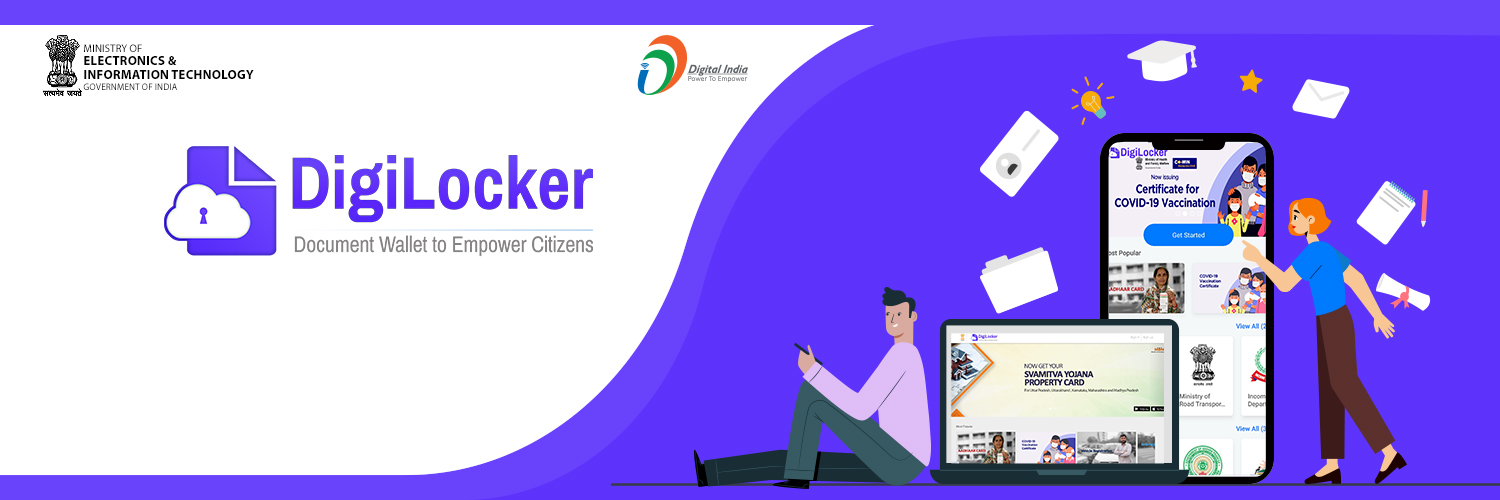
In today’s fast-moving digital world, carrying physical documents everywhere feels outdated. Whether it’s your driving licence, Aadhaar card, mark sheets, or vehicle registration certificate, we are always asked to show documents at banks, airports, government offices, or during traffic checks. This is where DigiLocker makes life easier by allowing you to store and access your important documents digitally, anytime and anywhere.
But what if all your important documents could live safely inside your phone?
That’s exactly where DigiLocker comes in.
In this detailed guide, we’ll walk you through what DigiLocker is and how it works. Along the way, you’ll also learn about its key benefits, how to create an account, how to upload and access documents, and why it has become an important step toward Digital India.
So, let’s begin.
What Is DigiLocker?
DigiLocker is a cloud-based digital document storage and verification platform launched by the Government of India. In simple terms, it allows Indian citizens to securely store, access, and share all their official documents in digital format.
Moreover, it was introduced in 2015 as part of the Government’s Digital India campaign. The main objective behind this initiative was clear: to reduce the use of physical documents, minimize paperwork at every level, and promote paperless governance across the country.
DigiLocker works as a secure digital wallet for government-issued documents. Once you link your Aadhaar number, you can easily fetch verified documents directly from issuing authorities such as transport departments, education boards, and other government agencies.
As a result, you don’t need to carry physical copies, since your documents remain safely stored and accessible anytime through your DigiLocker account.
Why DigiLocker Was Introduced
Before people had to:
- Carry photocopies of documents
- Submit physical copies repeatedly
- Face risks of losing original certificates
- Visit government offices for verification
To address these challenges, the Government wanted a system where:
- Documents could be issued digitally
- Citizens could access them anytime
- Verification could happen instantly
- Fake documents could be reduced
To address these issues, DigiLocker solved these problems by creating a centralized digital repository of verified documents.
Is DigiLocker Legal and Valid?
Yes. Documents issued through DigiLocker are legally valid.
Legally speaking, under the Information Technology Act 2000, digitally issued documents are considered equivalent to physical documents.
As a result, government departments, traffic police, banks, and educational institutions widely accept DigiLocker documents as valid proof.
For example:
- Digital Driving Licence shown via Digi Locker is valid during traffic checks.
- Digital vehicle RC is legally acceptable.
- Digital mark sheets can be used for job or college admissions.
Key Features of DigiLocker
Here are the main features that makes it powerful:
1. Secure Cloud Storage
You also get free cloud storage space to upload your personal documents like:
- PAN card
- Passport
- Insurance papers
- Certificates
2. Direct Document Issuance
Additionally, government authorities can directly issue documents into your Digi Locker account, making the process faster and more reliable.
Examples include:
- Driving Licence
- Vehicle Registration Certificate
- CBSE Marksheet
- University certificates
3. Instant Verification
Importantly, the documents contain a secure QR code and digital signature, which allow instant verification.
4. Easy Sharing
You can share documents via:
- Link
- QR code
- Request ID
5. Paperless Governance
No need for photocopies or attested documents.
Who Can Use DigiLocker?
Any Indian citizen with:
- Aadhaar number
- Mobile number linked to Aadhaar
In fact, students, employees, vehicle owners, job applicants, and business owners-anyone can use it.
It is especially useful for:
- College admissions
- Government job applications
- Traffic verification
- Bank KYC processes
- Passport applications
How DigiLocker Works
Understanding how DigiLocker works will also make it easier to use.
DigiLocker connects three parties:
- Issuer – Government authority issuing the document
(Transport Department, Education Board, UIDAI, etc.) - Requester – Organization requesting your document
(Bank, college, employer) - Citizen – You, the document holder
In practice, when an issuer uploads your document digitally, it gets stored in your DigiLocker account. Then, when a requester needs verification, you can share access instantly.
This reduces fraud and manual verification delays.
Types of Documents Available on DigiLocker
Currently, DigiLocker supports thousands of documents across various categories.
- Identity Documents
- Aadhaar
- PAN Card
- Voter ID
- Transport Documents
- Driving Licence
- Vehicle RC
- Education Documents
- 10th and 12th Marksheet
- Degree certificates
- University transcripts
- Financial Documents
- Insurance policies
- Pension documents
- Health Documents
- Vaccination certificates
- Health records (in some cases)
How to Create a DigiLocker Account (Step-by-Step)
Creating an account is simple and takes just a few minutes.
To get started, follow these steps:
Step 1: Visit the Official Website
Go to the official DigiLocker website or download the mobile app from:
- Google Play Store
- Apple App Store
Step 2: Click on Sign Up
Enter:
- Full name
- Date of birth
- Gender
- Mobile number
- Email ID
Step 3: Verify Mobile Number
Next, you will receive an OTP on your registered mobile number.
Step 4: Create Username & Password
Then, set a secure password.
Step 5: Link Aadhaar
After that, you must link your Aadhaar number to fetch government-issued documents.
Finally, once the OTP verification is complete, your Digi Locker account is ready to use.
How to Fetch Documents in DigiLocker
Once logged in:
- Go to “Issued Documents”
- Click “Get More Documents”
- Select the issuing authority
- Enter required details (like roll number, vehicle number)
- Submit request
If your document is available, it will automatically appear in your account.
How to Upload Your Own Documents
Apart from issued documents, you can upload personal documents.
Steps:
- Click on “Uploaded Documents”
- Click “Upload”
- Choose file (PDF, JPG, PNG)
- Add document type and name
You can also digitally sign uploaded documents.
How to Share Documents via DigiLocker
Sharing is simple.
You can:
- Share document link
- Provide document URI
- Send via email
- Allow access through Requester system
This makes KYC and verification instant.
Is DigiLocker Safe?
Security is one of the strongest aspects of Digi Locker.
It uses:
- 256-bit SSL encryption
- Aadhaar-based authentication
- OTP verification
- Secure cloud infrastructure
Data is stored securely under government-controlled systems.
Benefits of Using DigiLocker
Let’s look at the practical benefits.
- No Risk of Losing Documents
No fear of losing original certificates.
- Saves Time
No need to stand in queues for verification.
- Environment-Friendly
Reduces paper usage.
- Prevents Fraud
Documents are digitally verified.
- Easy Access Anytime
Access documents 24/7 from mobile or laptop.
DigiLocker vs Physical Documents
| Feature | DigiLocker | Physical Documents |
| Storage | Digital | Physical file |
| Risk of Loss | Very Low | High |
| Verification | Instant | Manual |
| Sharing | Online | Physical copy |
| Fraud Risk | Minimal | Possible |
Clearly, DigiLocker is more efficient and future-ready.
Common Issues Users Face
Even though Digi Locker is simple, some users face issues like:
- Aadhaar not linked to mobile
- Incorrect details while fetching documents
- Forgotten password
- Technical glitches
Most of these can be resolved through OTP reset or support help.
Why DigiLocker Is Important for Students
For students, Digi Locker is extremely helpful.
Instead of carrying mark sheets for:
- College admission
- Scholarship application
- Government exam verification
Instead, they can simply show or share digital documents.
For example, boards like CBSE upload mark sheets directly.
Why DigiLocker Is Important for Vehicle Owners
Traffic police accept digital Driving Licence and RC.
You don’t need to carry:
- Physical DL
- RC book
Just show it on your DigiLocker app.
Future of DigiLocker in India
As India moves toward complete digital governance, DigiLocker will become even more powerful.
More departments are joining the platform. In the future, it may include:
- Health records
- Property papers
- Court documents
- Employment records
It is becoming the backbone of paperless India.
Advanced Features of DigiLocker
Many people use DigiLocker only for downloading their driving licence or mark sheet. But the platform offers much more.
1. Issued vs Uploaded Documents (Important Difference)
To understand this clearly, there are two types of documents inside DigiLocker:
Issued Documents
These are directly issued by government authorities. As a result, they are digitally signed and fully verified.
Examples:
- Driving Licence
- Vehicle RC
- CBSE Marksheet
- Vaccination Certificate
These are legally valid everywhere.
Uploaded Documents
- These are documents you upload manually.
- They are not automatically verified unless digitally signed.
Tip: Always try to fetch “Issued Documents” instead of uploading scanned copies.
2. DigiLocker URI (Uniform Resource Identifier)
Every issued document has a unique URI link.
Instead of simply sharing a PDF copy, you can share the URI for direct access. This way, the receiving organization can verify the document directly from the source authority, ensuring authenticity and accuracy.
This prevents fake or edited documents.
3. Integration with Government Departments
Notably, DigiLocker is integrated with:
- Transport departments
- Education boards
- Income tax department
- Health departments
- Public sector organizations
As more departments join, document accessibility becomes easier.
4. e-Sign Feature
DigiLocker also allows Aadhaar-based e-Sign.
As a result, you can digitally sign documents without physically signing them.
This is helpful for:
- Agreements
- Applications
- Declarations
The signature is legally valid under the IT Act.
How to Use DigiLocker for Banking & KYC
KYC (Know Your Customer) is mandatory for:
- Opening bank accounts
- Mutual fund investments
- Demat accounts
- Insurance policies
Instead of submitting photocopies, you can:
- Login to DigiLocker
- Share your document via link or URI
- Bank verifies directly
Consequently, this makes the KYC process faster and more secure.
Many banks accept DigiLocker documents during account opening and loan applications.
How to Use DigiLocker for Passport Application
While applying for a passport:
- You may need identity proof
- Address proof
- Birth certificate
If these documents are available in DigiLocker:
- You can present digital versions
- Verification becomes quicker
As a result, it reduces paperwork and speeds up processing.
DigiLocker for Students – A Game Changer
Students benefit massively from Digi Locker.
During College Admission
Colleges can verify:
- 10th Marksheet
- 12th Marksheet
- Migration Certificate
Directly from DigiLocker.
During Competitive Exams
Government exams require document verification.
Digi Locker reduces physical document submission.
During Job Applications
Employers can verify education certificates instantly.
As a result, there is no risk of fake certificates.
DigiLocker for Vehicle Owners
Imagine getting stopped by traffic police and forgetting your driving licence at home.
Earlier:
You could get fined.
Now:
- Instead, you can simply show your Driving Licence from the DigiLocker app.
- Since transport departments recognize Digi Locker documents as valid, there is no need to carry a physical copy.
- As a result, this makes life much easier for daily commuters.
DigiLocker for Businesses & Organizations
Digi Locker is not just for individuals.
In addition, organizations can also register as:
- Issuers
- Requesters
If You Are an Issuer
You can issue documents digitally to citizens.
Example:
- Universities issuing degree certificates
- Transport department issuing licences
If You Are a Requester
You can request documents for verification.
Example:
- Banks verifying identity
- Employers verifying certificates
This reduces manual verification costs.
How to Recover DigiLocker Account
In some cases, users may forget their passwords or lose access to their accounts.
If that happens, here’s how you can recover it:
Forgot Password
- Click “Forgot Password”
- Enter registered mobile number
- Verify via OTP
- Reset password
Mobile Number Changed?
In case your Aadhaar is not linked to your new mobile number, update it first.
Locked Account
Sometimes, too many incorrect attempts may temporarily lock your account.
In such situations, you can either wait and try again later or contact support for assistance.
Common Mistakes to Avoid
Many users make small mistakes.
Avoid these:
- Entering wrong roll number while fetching marksheet
- Not linking Aadhaar
- Uploading low-quality scans
- Sharing password with others
- Ignoring OTP security
Always keep your account secure.
Is DigiLocker Safe for Privacy?
Yes, indeed. DigiLocker follows strict security protocols to protect user data and ensure privacy.
It uses:
- 256-bit encryption
- Secure government cloud servers
- OTP-based login
- Aadhaar authentication
Your documents are not publicly visible.
Only you can share access.
Limitations of DigiLocker
While Digi Locker is powerful, it has some limitations:
- Not all departments are integrated yet
- Requires Aadhaar authentication
- Internet connection required
- Some private institutions may still ask for physical copies
But these limitations are gradually reducing.
Frequently Asked Questions (FAQs)
1. Is DigiLocker free?
Yes, absolutely. DigiLocker is completely free for all Indian citizens. Moreover, there are no hidden charges for storing, accessing, or sharing your documents.
2. Is DigiLocker mandatory?
No, it is not mandatory. However, it is highly recommended for convenient and secure access to your important documents anytime, anywhere.
3. Can DigiLocker replace physical documents?
In general, for most government-related purposes, DigiLocker documents are considered legally valid and can therefore replace physical copies in many situations.
4. Is Aadhaar compulsory?
Typically, Aadhaar is required for full functionality and for fetching documents directly from issuing authorities.
5. Can I use DigiLocker without Aadhaar?
Yes, partially. Limited access is possible without Aadhaar; however, document fetching from issuing authorities requires Aadhaar linking.
6. What if my marksheet is not available?
In that case, it likely means your education board has not yet integrated with DigiLocker.
Pro Tips to Use DigiLocker Smartly
Here are expert-level tips:
- Always fetch issued documents instead of uploading scanned copies.
- For better security, keep your mobile number updated with Aadhaar.
- Additionally, use strong passwords to protect your account.
- Most importantly, never share your OTP with anyone.
- Finally, use URI sharing for official purposes whenever required.
- Regularly check if new documents are available.
Why DigiLocker Is Important for Digital India
India is moving toward paperless governance.
In line with this vision, under the Digital India initiative, Digi Locker plays a major role.
It:
- Reduces corruption
- Prevents fake documents
- Saves government cost
- Saves citizen time
- Promotes digital literacy
In fact, DigiLocker is a foundation for future digital public infrastructure.
Real-Life Use Cases
Let’s imagine real scenarios.
Scenario 1: College Admission
Ravi applies for college.
Instead of submitting photocopies, he shares his Digi Locker marksheet.
As a result, the admission process becomes faster.
Scenario 2: Traffic Check
Priya forgets her DL.
However, she shows the Digi Locker app instead.
Consequently, no fine is issued.
Scenario 3: Bank Loan
Amit applies for a personal loan.
Meanwhile, the bank verifies his PAN and Aadhaar via DigiLocker instantly.
Therefore, the loan approval process speeds up.
Future of DigiLocker
Digi Locker may soon expand to include:
- Property documents
- Court records
- Employment history
- Health records
- Digital academic credit bank
India is building a digital document ecosystem, and as a result, steadily transforming the way citizens manage official records.
At the heart of this shift, DigiLocker is at the center of this transformation, thereby playing a crucial role in shaping the country’s digital future.
Final Thoughts
DigiLocker is not just an app.
In reality, it is a digital revolution.
It replaces:
- Paper files
- Photocopies
- Manual verification
- Physical storage risks
With:
- Secure digital access
- Instant verification
- Easy sharing
- Paperless convenience
If you are an Indian citizen and still not using Digi Locker, you are missing a powerful tool.
In the years to come, digital document management will also become the new normal.
With this in mind, DigiLocker prepares you for that future.
Conclusion
DigiLocker is one of the most impactful digital services launched by the Government of India. In fact, it simplifies document storage, ensures authenticity, and saves valuable time for millions of citizens.
Moreover, from students and vehicle owners to job applicants and business professionals, everyone can benefit from its convenience and reliability.
Clearly, the future is digital as well as DigiLocker is a significant step in that direction.